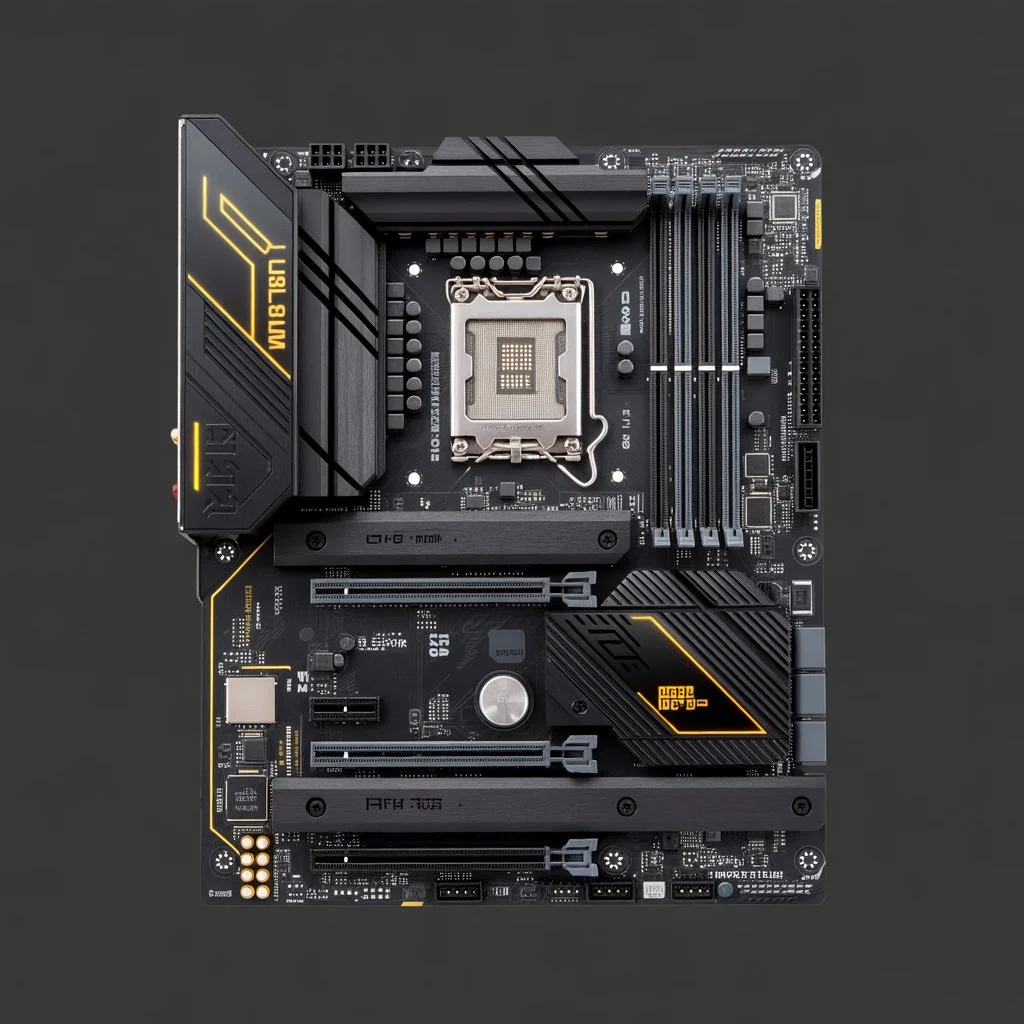
The ASUS TUF Gaming X570-Plus WiFi is one of the most popular motherboards for PC builders who want strong performance, solid durability, and excellent upgrade options. However, before building a system, one of the most important questions users ask is simple: tuf gaming x570 plus wifi how many solid state drives In this guide, we will explore the exact number of SSDs supported by this motherboard, the types of SSDs you can install, performance considerations, best configurations, and everything you need to know before choosing your storage setup.
Understanding the Storage Options of the TUF Gaming X570-Plus WiFi
The TUF Gaming X570-Plus WiFi belongs to ASUS’s TUF series, known for its reliability and long-lasting components. Storage support is one of its strongest features, because this motherboard gives PC builders multiple options for both NVMe SSDs and SATA SSDs.
To understand how many solid-state drives you can install, we need to look at each storage interface separately.
How Many M.2 SSDs Does the TUF Gaming X570-Plus WiFi Support?
The motherboard supports two M.2 slots, which means you can install up to 2 NVMe SSDs.
Details of the two M.2 slots
1. M.2_1 Slot (Top Slot)
- Supports PCIe 4.0 x4
- Ideal for high-speed NVMe SSDs
- Located near the CPU socket
- Best used for your primary drive (Windows or main apps)
2. M.2_2 Slot (Bottom Slot)
- Supports PCIe 4.0 x4
- Works with 2280/22110 sized SSDs
- Shares bandwidth with SATA ports in some cases
- Good for game storage, video editing projects, or secondary tasks
Both M.2 slots can run PCIe 4.0 SSDs at full speed, thanks to the X570 chipset. This gives you next-level read and write speeds, especially if you use modern Gen4 NVMe drives.
How Many SATA SSDs Can the TUF Gaming X570-Plus WiFi Support?
Along with M.2 storage, the motherboard also comes with:
8 SATA III Ports
This means you can install up to 8 SATA SSDs or a mix of SSDs and HDDs. SATA SSDs are not as fast as NVMe drives, but they are still very reliable and affordable, making them great for:
- Game libraries
- Media files
- Backup storage
- Large project folders
- General daily use
Total SSD Support (M.2 + SATA)
If we combine everything, the motherboard supports:
Up to 10 SSDs (2 M.2 NVMe + 8 SATA SSDs)
This is a huge capacity for almost any type of setup, from gaming PCs to editing workstations.
Types of SSDs Supported by the TUF Gaming X570-Plus WiFi
The motherboard supports three main types of solid-state drives:
1. PCIe 4.0 NVMe SSDs
These offer the highest performance. They deliver extremely fast boot times, instant loading screens, and excellent speed for large files.
2. PCIe 3.0 NVMe SSDs
Slightly slower than PCIe 4.0, but still much faster than SATA SSDs. Fully supported in both M.2 slots.
3. SATA SSDs (2.5-inch)
Affordable and reliable. Although not as fast as NVMe, they remain a great option for bulk storage.
Best SSD Configuration for Gaming
If you are building a gaming PC, here is the ideal setup:
Primary Drive (OS + Main Apps)
- 1 × PCIe 4.0 NVMe in M.2_1
- Fast booting
- Instant multitasking
- Smooth performance in heavy games
Secondary Drive (Games Library)
- 1 × PCIe 4.0 or 3.0 NVMe in M.2_2
- Great for large AAA titles
- Best loading speed in open-world games
Additional Storage
- 1–4 SATA SSDs
- Good for older games, emulator files, and media
This gives you speed, reliability, and plenty of space.
Best SSD Configuration for Content Creators
If you’re into video editing, 3D modeling, or photography, the motherboard offers excellent flexibility.
Recommended Setup
1 × NVMe Drive (Project Files)
Use the fastest PCIe 4.0 NVMe SSD for active editing.
1 × NVMe Drive (Cache / Scratch Disk)
Assign a second NVMe for software cache files.
4–8 SATA SSDs (Archives and Storage)
Great for storing raw footage, rendered videos, or high-resolution images.
This configuration gives smooth editing performance and huge storage capacity without lag.
Do You Need Heatsinks for M.2 SSDs?
High-speed NVMe drives can run hot, especially PCIe 4.0 models. While the TUF Gaming X570-Plus WiFi does not include large integrated M.2 heatsinks like some premium boards, it supports third-party M.2 heatsinks.
Why consider a heatsink?
- Reduces thermal throttling
- Improves speed stability
- Increases SSD lifespan
If you’re installing PCIe 4.0 NVMe drives, adding a small heatsink is a smart idea.
Performance Benefits of Using Multiple Solid-State Drives
Installing more than one SSD doesn’t just increase storage space. It also improves your PC performance, especially when you split tasks across multiple drives.
Here are the performance advantages:
1. Faster Boot and Load Times
Your main NVMe drive handles Windows and apps, making everything feel smoother.
2. Better Game Performance
Games installed on a separate NVMe drive often load faster and stutter less.
3. Improved Multitasking
System files, games, and software caches running on different drives improves responsiveness.
4. Safer Data Management
Separating work files from personal files ensures better organization and data safety.
Who Should Use Multiple SSDs on This Motherboard?
This motherboard is suitable for many types of users. Adding multiple SSDs makes sense if you are:
A Gamer
To store many large games and keep load times fast.
A Freelancer or Content Creator
To manage large files without slowing down the PC.
A Video Editor
To separate projects, software cache, and raw footage.
A Server or NAS Builder
Thanks to 8 SATA ports, it can even handle storage-heavy builds.
A Programmer
To organize work environments, tools, and codebases separately.
Does Installing Many SSDs Affect Performance?
For the most part, adding more SSDs does not reduce performance. However, there are a few points to keep in mind:
1. Shared Bandwidth
Some SATA ports may disable when you use the second M.2 slot, depending on the drive type. This is common with X570 motherboards.
2. Heat
More NVMe drives generate more heat. Good airflow or small heatsinks help manage this.
3. Power Supply
SSDs use very little power, so even 8–10 drives won’t overload most PSUs.
In general, performance stays excellent as long as your system has good cooling.
Is the TUF Gaming X570-Plus WiFi Good for Future Upgrades?
Yes, absolutely. The storage support alone makes this motherboard a strong long-term option.
Why it’s future-proof:
- PCIe 4.0 NVMe compatibility
- 2 M.2 slots
- 8 SATA ports
- Strong VRMs
- Support for high-core-count Ryzen CPUs
This makes it ideal for people who want to upgrade slowly over time.
Final Thoughts
So, tuf gaming x570 plus wifi how many solid state drives can it support?
The answer is clear:
Up to 10 SSDs total
- 2 M.2 NVMe drives (PCIe 4.0 x4)
- 8 SATA SSDs via SATA III ports
This gives you a wide range of options for gaming, editing, professional work, or simply expanding your storage.
The ASUS TUF Gaming X570-Plus WiFi is an excellent choice for anyone who needs reliable performance and massive storage potential. Whether you want high-speed NVMe drives for speed or multiple SATA SSDs for large storage, this motherboard gives you the flexibility to create the perfect setup for your needs.